
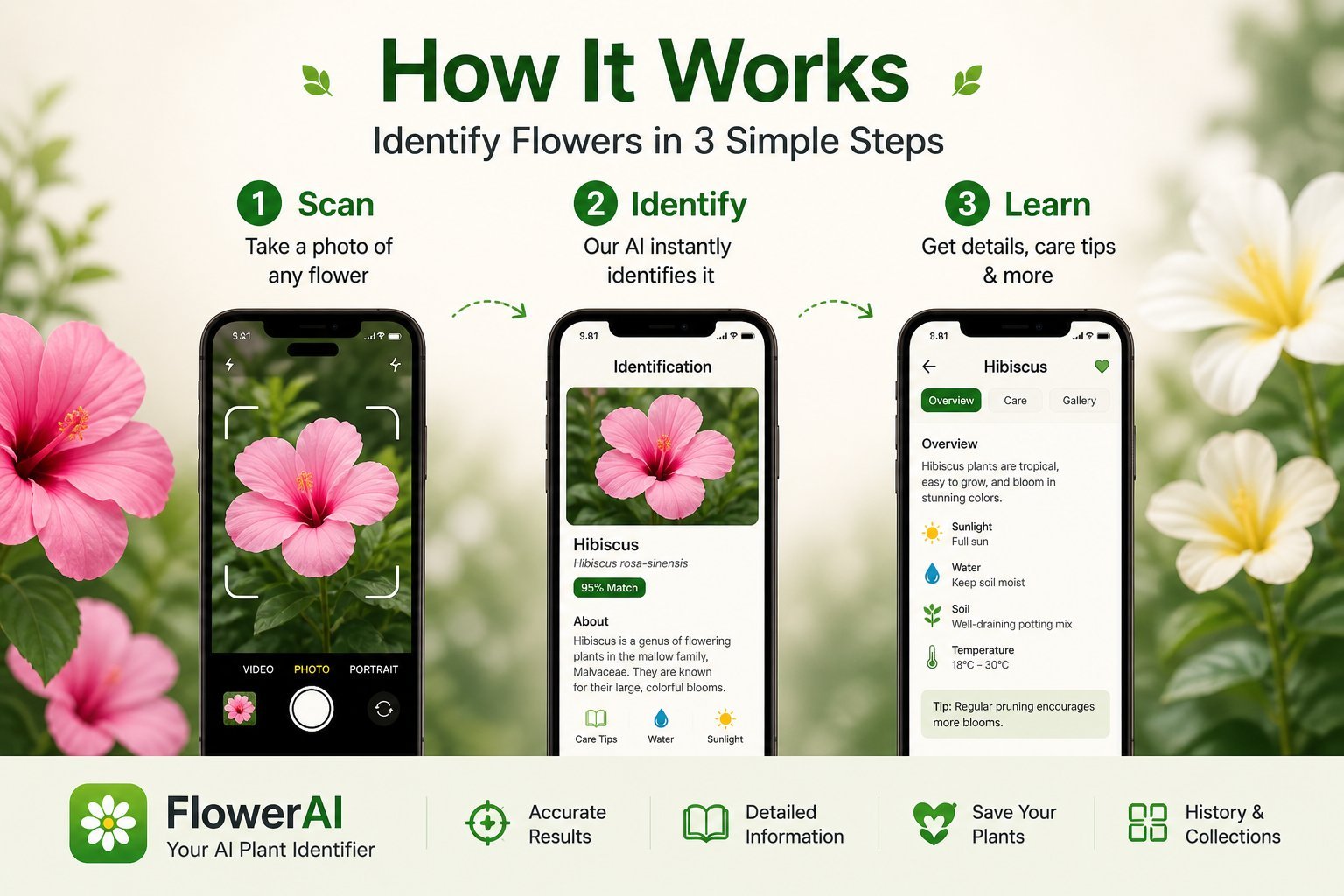
If you've taken a photo of a flower and uploaded it to an app expecting a clean answer, you've probably learned the same thing everyone learns: the app is only as good as the photo. The model is doing its best, but you're feeding it a blurry shot of a flower buried in foliage with the sun behind it. There's no AI that can fix that.
This guide walks through the photo-first method to identify flowers by photo — what to capture, what to avoid, and how to dramatically improve your accuracy whether you use Flower Identifier, PictureThis, PlantNet, or Google Lens.
Why the photo matters more than the app
Most people assume the difference between a 50% accuracy ID and a 95% accuracy ID is the app. It isn't. The same app, given a clean photo of a single bloom in good light, will return a confident species-level ID. Given a wide shot of a bush with one flower in the corner, it will guess at the genus and call it a day. The model is matching visual features against a learned dataset — feed it good features and it returns good answers.
Once you internalize this, you stop trying app after app and start fixing the photo.
The 7 rules of a flower-ID-friendly photo
1. One flower, centered, filling the frame
Your phone camera should be roughly 6 to 12 inches from the bloom. The flower should fill at least 60% of the frame. If you can see five flowers in the shot, the AI doesn't know which one to identify — and modern apps will often pick the wrong one.
2. Flat, even light beats dramatic light
Photographers love golden hour. Vision models hate it. Long shadows hide petal detail and confuse color readings. The best light for flower ID is bright shade or a lightly overcast sky. If you're stuck in harsh midday sun, position your body to cast a soft shadow over the bloom.
3. Shoot from the angle that shows the most
For most flowers, that's straight on or slightly above. For trumpet-shaped flowers (like daffodils), get a side angle that shows the trumpet. For composite flowers (sunflowers, daisies), the top-down view is essential. If you're unsure, take both angles — flower identifier apps usually let you upload either.
4. Tap to focus on the flower
iPhone cameras autofocus on whatever has the most contrast. In a flowerbed shot, that might be a leaf in the foreground or a bright sky in the background, leaving the flower itself slightly soft. Tap the flower in the camera preview before shooting. Two seconds, huge difference.
5. Don't zoom — get closer
iPhone digital zoom degrades image quality and feeds the AI a less-detailed photo. Walk closer if you can. If you can't (it's behind a fence, in a botanical garden behind glass), use the 2x or 3x optical zoom on newer iPhones, but never the digital zoom past that.
6. Include identifying features when possible
If a flower has distinctive stamens, a unique petal pattern, or a recognizable leaf, include those in the shot. Some species are nearly identical at the bloom level but easy to tell apart by leaf shape — the model knows this, and a leaf-and-bloom shot can break ties the AI couldn't otherwise call.
7. Take multiple photos
Take three: one close-up of the bloom, one wider shot showing the leaves and stem, and one of the whole plant. If the first ID seems wrong, try the others. The best flower identification apps let you re-scan without limits on the same plant.
Common photo mistakes that kill accuracy
The "found it" mistake
You see a flower, raise your phone from waist height, snap, and walk on. The result is a top-down photo from too far away with the flower partly hidden. The AI gets a tiny patch of pixels and shrugs.
The "everything in frame" mistake
You photograph the entire flowerbed because it's pretty, then expect the app to identify one specific flower. The AI doesn't know which one. Crop, or take a fresh close-up.
The "back-lit" mistake
The sun is behind the flower, the flower is silhouetted, and the petals are dark blobs. Move around the flower so the light is behind you, lighting the bloom face.
The "wet flower" mistake
Photographing a flower covered in dew or rain can confuse color recognition — the petals look darker and shinier than they really are. If you can wait an hour, the flower will dry. If not, gently shake off droplets before shooting.
The "wilted bloom" mistake
An old, dying flower has different colors and shapes than a fresh one. If multiple blooms are on the same plant, choose the freshest looking flower for the photo.
How to identify flowers from existing photos
Sometimes you remember a flower from a trip and want to ID it now from a photo on your camera roll. Most flower identifier apps let you upload from your gallery — you don't have to shoot live.
For old photos, follow these rules:
- Crop tight before uploading. Most apps have a built-in cropper, but you can also crop in your phone's photo editor first.
- Don't apply filters. If the photo is from Instagram or has been edited, find the original. Filters change colors and contrast, which confuses the AI.
- Pick the sharpest frame. If you have a burst, scrub through and pick the one where the flower is clearest. Apps work much better on a sharp 8 MP photo than on a soft 48 MP one.
- Add context if the app supports it. Some apps let you note where the photo was taken. Geographic context narrows the species pool dramatically — a pink flower in Vermont and a pink flower in Hawaii are not the same plant.
What "identifying a flower from a picture" really tells you
The output of a flower identification app is a probability ranking, even if the app only shows you the top result. Behind the scenes, the model is saying "I'm 92% sure this is Lilium superbum, but it could also be Lilium michiganense or Lilium canadense with lower probability." Better apps surface this confidence to you. Lower-quality apps just show the top hit and let you assume it's right.
If the confidence isn't shown but the result feels off, photograph the same plant from a different angle and re-scan. If both scans agree, you're probably right. If they disagree, the AI is uncertain and you should look up both candidates manually.
The "I scanned it but I want to be sure" workflow
Once an app gives you a candidate species:
- Read the species detail page in the app — habitat, range, blooming season.
- Check that the time and place make sense. A spring-only flower can't be the right answer in October.
- Search the species name plus your country or state to compare images.
- If you're still unsure, post in a regional Facebook group, Reddit's r/whatsthisplant, or iNaturalist for crowd-sourced confirmation.
The bottom line
The best flower identifier app in the world will give you the wrong answer if you give it the wrong photo. Spend an extra ten seconds composing your shot — close, well-lit, focused, and isolated — and you'll get accurate IDs more than nine times out of ten. Spend zero seconds and you'll bounce between apps blaming each one for being inaccurate, when the actual problem is upstream of the AI entirely.
Try Flower Identifier — free on iPhone
AI-powered flower ID from a single photo. Bloom, leaf, or whole plant. No account required.
Download on the App Store