
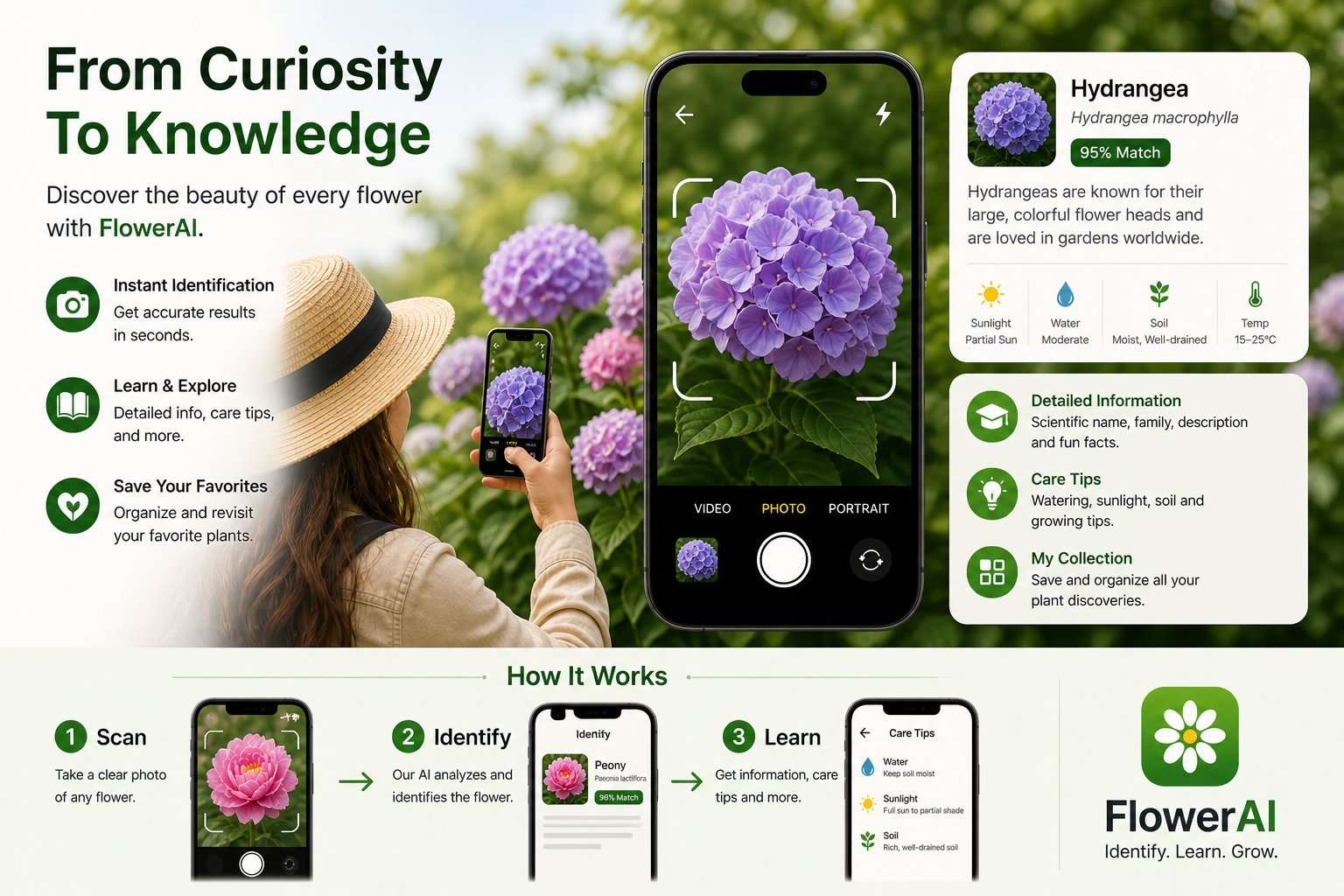
You point your phone at a flower, tap a button, and three seconds later the app says "Echinacea purpurea, purple coneflower." It feels like magic, but it's not. It's a sequence of well-understood machine learning steps — each one boring on its own, magical when chained together. Understanding what's happening helps you take better photos, calibrate your trust in the answers, and know when to look up the result yourself.
This is a non-technical explainer of how AI flower identification actually works behind the scenes. No prior ML knowledge required.
Step 1: Your photo gets pre-processed
The first thing that happens — before any AI gets involved — is mundane image processing. The app:
- Resizes your photo to a standard dimension (typically 224x224 or 384x384 pixels)
- Normalizes the colors so brightness and contrast are within a known range
- Sometimes crops automatically to focus on the most prominent subject
- Converts the image into a tensor — a grid of numbers the model can read
Modern apps that look like they're "instantly" identifying flowers actually do this on your phone before sending anything to a server. The whole step takes a few hundred milliseconds.
Step 2: The image goes to a vision model
The pre-processed tensor is sent to a deep neural network — typically a convolutional neural network (CNN) or a Vision Transformer (ViT). For larger flower databases, this model lives on a cloud server because it's too large to run on a phone. For some smaller databases, the model can run locally on your device using Apple's Core ML.
The model has been trained on millions of labeled flower photos. During training, the model learned to recognize visual features that distinguish species — the shape of a daisy's ray petals, the spotted pattern on a tiger lily, the spurred shape of a columbine. These features aren't manually programmed; the model figures them out by being shown examples.
Step 3: The model produces probabilities
The model's output isn't a single answer — it's a probability distribution across every species in its database. For a typical flower identification app with 15,000 species, the output looks like:
| Species | Probability |
|---|---|
| Echinacea purpurea | 92.4% |
| Echinacea pallida | 4.1% |
| Rudbeckia hirta | 1.8% |
| ...14,997 more species | negligible |
The app shows you the top result. Better apps show you the top 3 or 5 with confidence scores so you can judge for yourself.
Step 4: The species page gets assembled
Once the model decides on a species, the app pulls structured data about that species from a database — scientific name, family, native range, blooming time, photos for visual confirmation, descriptions, and any other information the app provides. This is just a database lookup; no AI involved at this step.
The whole pipeline, end to end, takes roughly 2-4 seconds on a good connection.
Why training data is everything
An AI model is only as good as the photos it was trained on. If a flower identifier was trained on 50,000 photos of common North American garden flowers but only 200 photos of South African native plants, it will be much better at the former than the latter. This is why apps differ in regional accuracy — they each have different training data biases.
This is also why some species are reliably identified and others aren't. If a species has thousands of well-labeled training photos, the model knows it cold. If a species has 30 training photos, all from the same season, the model is guessing.
Where the AI breaks down
Common failure modes:
Visually identical species
Some flower species look nearly identical to humans and look identical to AI. Fork-tined cinquefoil and silverweed cinquefoil, for example, are distinguished mostly by leaf details. If you only photograph the bloom, the AI cannot reliably tell them apart — neither can a person without training.
Out-of-distribution photos
If a photo looks unlike anything in the training data — a wilted flower, a flower under colored stage lights, a flower mostly hidden by other plants — the model still produces an answer, but the answer is unreliable. The model has no concept of "I don't know" unless the app explicitly programs that in.
Adversarial conditions
Heavy rain, motion blur, harsh shadows, and extreme close-ups can confuse the model in surprising ways. A photo that looks fine to you might have features the AI reads completely differently.
Cultivars and hybrids
A common rose species might have 50 different named cultivars. Most flower identifier apps recognize the species but not the cultivar — your "Mr. Lincoln" red rose will come back as Rosa hybrida. That's correct at the species level even if it's not the answer you wanted.
What "confidence" actually means
When an app says "92% confidence," that's not a guarantee that the answer is right 92% of the time. It's the model's internal probability for that class. A well-calibrated model will, on average, be right about 92% of the time when it says 92% — but models are often miscalibrated, especially on out-of-distribution inputs.
The practical implication: don't bet your garden plan on a single high-confidence ID. Use confidence as a directional signal, not as truth. A 95% confidence ID for a common species in good conditions is almost certainly right. A 95% confidence ID for a rare species in poor conditions is suspect.
How apps are getting better over time
Three things are improving AI flower identification month over month:
- Larger, better-curated training datasets. iNaturalist alone has tens of millions of species observations now, with expert verification.
- Vision transformers replacing CNNs. ViT architectures have proven more accurate on fine-grained classification tasks like species ID.
- Multimodal models. The newest models can take location, season, and visual input together — narrowing the candidate species before even looking at the photo.
Apps that were 70% accurate two years ago are typically 85-90% accurate now on the same species. The trajectory is steep.
What this means for you
Practical takeaways for using a flower identifier app:
- Take photos that look like the training data: close-up, well-lit, single bloom in focus
- If a confidence score is shown, take low-confidence answers with skepticism
- Cross-check rare or unfamiliar species — your local context narrows the field a lot
- Don't use a flower app for tree or general plant ID — it wasn't trained for that
- The model is right most of the time; learn to spot when it isn't
The bottom line
AI flower identification isn't magic, but it's a remarkable convergence of vision research, large datasets, and consumer hardware that finally makes botany accessible to anyone with a phone. The model is doing pattern matching at a scale humans can't, but it's not infallible — it's a very smart guess based on what it has seen before. Treat it that way and you'll get the most out of every flower identifier app you use.
Try Flower Identifier — free on iPhone
AI-powered flower ID from a single photo. Bloom, leaf, or whole plant. No account required.
Download on the App Store