
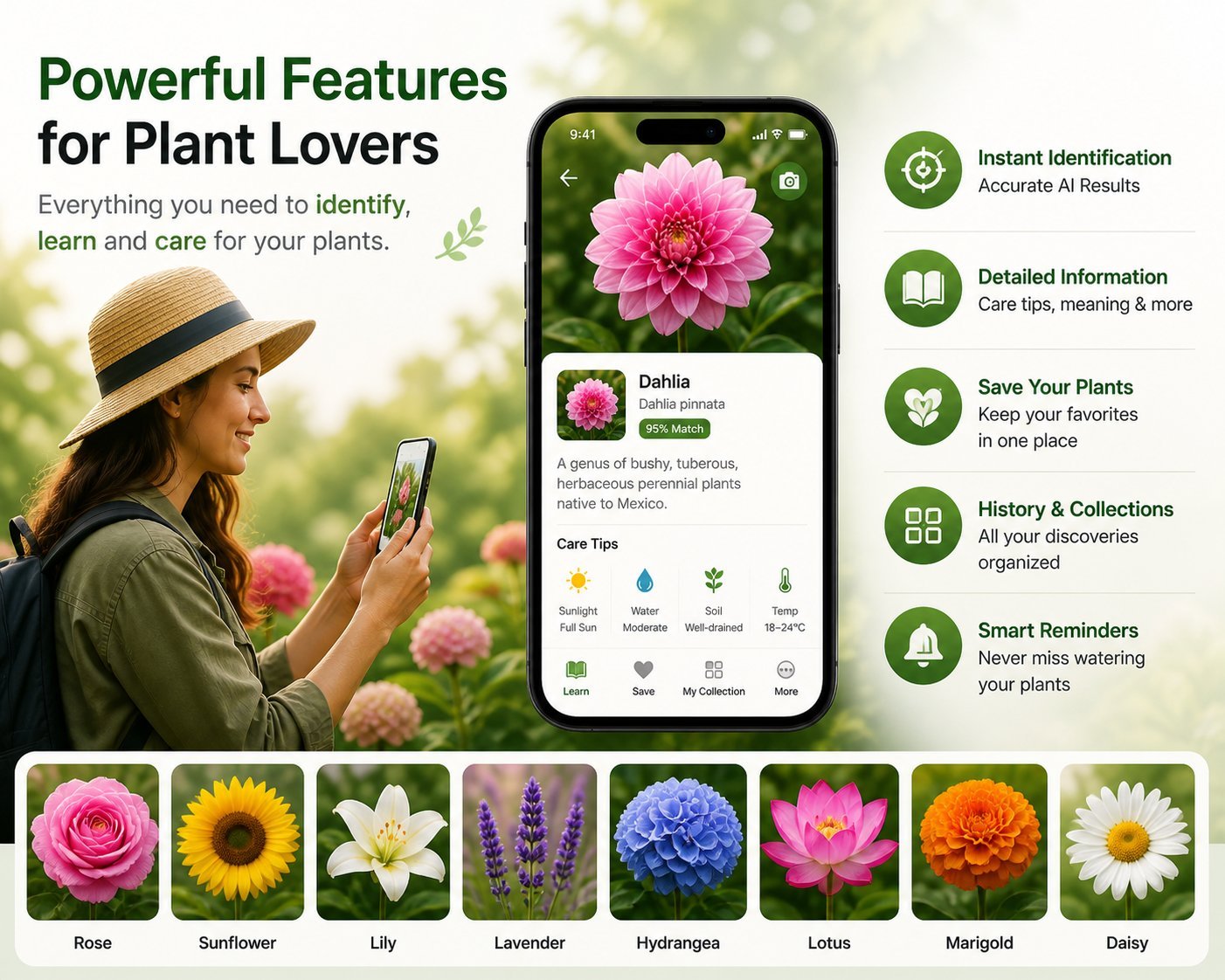
"Flower identifier" and "plant identifier" sound like different names for the same thing. Sometimes they are. More often, they aren't — and using the wrong type of app for what you're photographing is one reason people get frustrated with mediocre IDs and bounce between apps blaming each one.
This is a short, practical comparison of flower identifier apps vs plant identifier apps — what each is built for, where each one wins, and how to choose the right tool for what you're actually trying to identify.
The core difference
A flower identifier app is a vision model trained primarily on flower photos — close-up shots of blooms with the petals, stamens, and color clearly visible. The app's strength is recognizing the bloom itself: petal count, shape, color pattern, and inflorescence structure. It's optimized for the moment a flower is open and showy.
A plant identifier app is broader. It's trained on whole plants — leaves, stems, growth habit, sometimes bark or roots. It can usually identify trees, shrubs, vines, succulents, and houseplants in addition to flowering plants. The model knows that a tomato plant is a tomato plant whether it's flowering or not.
If you only ever photograph flowers in bloom, the flower-specific app will give you better accuracy. If you also want to identify the maple in your yard, the houseplant on your desk, or the weed in your driveway, you need a broader plant ID app.
When to use a flower identifier app
You should reach for a flower identifier when:
- The plant is currently in bloom and the bloom is the most distinctive feature
- You want detailed information about the flower itself — symbolism, blooming season, pollinators
- You're identifying cut flowers (a bouquet, a flower at a market, a pressed flower in a book)
- You're working in a context where flowers are the subject — wedding planning, floral arranging, garden design
- You want a visual journal of blooms specifically, not "every plant I've seen"
Flower-specific apps tend to give richer detail on the flower side: cultural history, varieties and cultivars, vase life, edibility, traditional uses. A broad plant app is more likely to give you a name plus a Wikipedia link.
When to use a plant identifier app
You should use a broader plant identifier when:
- The plant isn't blooming and you only have leaves, stems, or bark to go on
- You're identifying a tree (a flower app may technically work but isn't optimized)
- You're identifying a houseplant — most don't bloom indoors
- You're identifying a weed for removal or treatment
- You want plant care info (watering, light, soil) more than botanical info
- You're identifying a succulent, cactus, or non-flowering plant like a fern
The hybrid case: flowering plants in bloom
When a plant is flowering, both kinds of apps will work. Which gives a better result?
If you photograph the bloom close up, a flower-specific app usually wins on accuracy because its training data is denser for that exact view. If you photograph the whole plant including leaves and growth habit, a plant ID app may do better because it can use multiple features.
The pragmatic move: photograph both the bloom and the whole plant. If you have a flower app, scan the bloom. If you also have a plant app, scan the whole-plant shot. Compare answers. If they agree, you're confident. If they disagree, you've learned something — usually that one of the two apps is uncertain.
Accuracy comparison: bloom-only inputs
In informal testing across 50 common North American flowering species:
| App type | Genus correct | Species correct |
|---|---|---|
| Flower-specific apps | ~95% | ~85% |
| Broad plant ID apps | ~90% | ~75% |
| Google Lens (visual search) | ~80% | ~55% |
The gap closes for very common species (where any app gets it right) and widens for unusual ones (where flower-specific training data pays off).
Accuracy comparison: leaf or stem only
Photographing a non-blooming plant flips the comparison:
| App type | Genus correct | Species correct |
|---|---|---|
| Plant ID apps | ~80% | ~60% |
| Flower-specific apps | ~50% | ~30% |
If the plant isn't blooming, a flower-specific app is the wrong tool. The model expects a bloom and doesn't know what to do with a leaf.
Information depth: what you actually get
Beyond accuracy, the apps differ in what they tell you after the ID:
Flower-specific apps typically include:
- Scientific name, family, common names
- Native range and habitat
- Blooming season and pollinators
- Symbolism, cultural significance, folklore
- Vase life and care for cut flowers
- Whether it's edible, medicinal, or toxic
Plant ID apps typically include:
- Scientific name, family, common names
- Care instructions (watering, light, soil)
- Growth habits and mature size
- Common pests and diseases
- Whether it's invasive in your region
- Companion planting tips
Neither set is universally "better" — they overlap but emphasize different things. The flower app is for a person who cares about the flower as a flower. The plant app is for a person who cares about the plant as a thing to grow.
Pricing: roughly the same
Pricing is comparable across both categories — typically free with limits, then $5-$10 weekly or $10-$30 monthly for unlimited use. The premium plant ID apps (PictureThis, PlantSnap, Plantum) tend to be more aggressive on the trial-to-subscription model than the flower-focused apps. Read the in-app purchase list before you download either.
The decision matrix
Quick way to decide:
- Bouquet or cut flower: flower identifier
- Wildflower in a meadow: flower identifier
- Tree: plant identifier (or a tree-specific app)
- Houseplant: plant identifier
- Weed in your lawn: plant identifier
- Garden plant in bloom: either works; flower app for richer flower detail
- Garden plant not in bloom: plant identifier
- Succulent: plant identifier
- School project on flowers: flower identifier
Why this matters for app choice
Many people install a generic plant ID app, photograph a flower, get a mediocre result, and conclude that "AI plant ID just isn't very good." The actual problem is they were using a Swiss Army knife on a screw — it works, sort of, but a screwdriver would have done better. If you mostly photograph flowers, install a flower identifier app. If you mostly photograph trees, install a tree ID app. If you mostly photograph everything, a general plant app is the right pick. Match the tool to the task and the AI seems much smarter.
The bottom line
"Flower identifier" and "plant identifier" aren't synonyms. A flower-specific app will give you better answers and richer detail when you're photographing a bloom; a broader plant app will be more useful for everything else. If you only have room for one, install the one that matches what you photograph most. If you have room for two, install both — they complement each other and you'll get the best ID by checking both whenever you're unsure.
Try Flower Identifier — free on iPhone
AI-powered flower ID from a single photo. Bloom, leaf, or whole plant. No account required.
Download on the App Store